Sws101_journal6
Notes on Assembly, Instructions, Registers, and Analyzing Simple Assembly Code
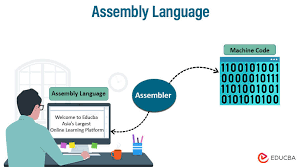
Assembly Language
Assembly Language is a low-level programming language that is closely related to machine code, which is directly executed by a computer’s CPU. Unlike high-level programming languages like Python or Java, assembly language is specific to a particular computer architecture. Each assembly instruction corresponds directly to a machine instruction for a specific processor.
Purpose: It allows programmers to write instructions that a CPU can execute directly.
Assembler: A tool that translates assembly language into machine code.
CPU Instructions
Instruction Set: A collection of instructions that a CPU can execute.
Instructions: Basic operations such as adding numbers, moving data, and controlling the flow of a program.
Registers
It is a small, fast storage locations within a CPU.
General-purpose registers: Used for a variety of functions (e.g., rax, rbx, rcx, etc.).
Special-purpose registers: Used for specific functions (e.g., rsp for stack pointer, rip for instruction pointer).
| Register | Lower byte | Lower word | Lower dword |
|---|---|---|---|
| rax | al | ax | eax |
| rbx | bl | bx | ebx |
| rcx | cl | cx | ecx |
| rdx | dl | dx | edx |
| rsp | spl | sp | esp |
| rsi | sil | si | esi |
| rdi | dil | di | edi |
| rbp | bpl | bp | ebp |
| r8 | r8b | r8w | r8d |
| r9 | r9b | r9w | r9d |
| r10 | r10b | r10w | r10d |
| r11 | r11b | r11w | r11d |
| r12 | r12b | r12w | r12d |
| r13 | r13b | r13w | r13d |
| r14 | r14b | r14w | r14d |
| r15 | r15b | r15w | r15d |
Additionally:
- Higher 8 bits of rax, rbx, rcx, rdx are referred to as ah, bh, ch, dh.
- Special registers: rip (instruction pointer), rflags (flags register).
Analyzing Simple Assembly Code
Labels: Names for addresses within the program.
Directives: Instructions for the assembler (e.g., format, section).
Instructions: Perform operations (e.g., int3 for a breakpoint, ret to return).
Memory and Addresses
Memory is a contiguous array of byte-sized cells, each with a unique address. In x86-64, memory is viewed as a flat, sequential array starting at 0, simplifying access compared to older architectures.
Our First Program
Here’s a simple x86-64 assembly program that loads and exits immediately:
format PE64 NX GUI 6.0
entry start

section '.text' code readable executable
start:
    int3                ; Debug breakpoint
    sub rsp, 8 * 5      ; Adjust stack pointer
    xor rcx, rcx        ; Set rcx register to 0 (exit code)
    call [ExitProcess]  ; Call ExitProcess API

section '.idata' import readable writeable
idt:
    dd rva kernel32_iat
    dd 0
    dd 0
    dd rva kernel32_name
    dd rva kernel32_iat
    dd 5 dup(0)

name_table:
    _ExitProcess_Name dw 0
                      db "ExitProcess", 0, 0

kernel32_name db "KERNEL32.DLL", 0
kernel32_iat:
    ExitProcess dq rva _ExitProcess_Name
    dq 0
Analyzing the Code
- format PE64 NX GUI 6.0: Specifies the Portable Executable format.
- entry start: Defines the program’s entry point.
- sub rsp, 8 * 5: Adjusts the stack pointer for function call.
- xor rcx, rcx: Clears rcx register (exit code).
- call [ExitProcess]: Calls the ExitProcess function from kernel32.dll.
Using the Debugger
- Open WinDbg, load the executable, and set breakpoints.
- Use WinDbg’s tools to step through the program, examining registers, stack, and memory.
Extract Assembly from a Compiled Program
To extract assembly code from a compiled program, tools like disassemblers are used. For x86-64 Windows programs, tools like IDA Pro, Ghidra, or even debuggers like WinDbg can disassemble executable files into their corresponding assembly code, allowing analysis and understanding of the program’s inner workings.
Understanding assembly is essential for tasks like debugging, performance optimization, and low-level system programming, providing insights into how software interacts with hardware and the operating system.
These foundational concepts and tools are crucial for delving into x86-64 assembly programming, empowering developers to write efficient, low-level code tailored to specific system requirements.